Sequencing: one recording, several rhythms
Adenosine, atrial flutter and a strip that changes halfway through: how to build a recording with several rhythms in the studio, step by step.
A regular, narrow tachycardia at 150 BPM can be tricky. Is it AVNRT, sinus tachycardia or atrial flutter with 2:1 block? Often you can't decide the atrial rhythm, as P-waves, flutter waves and retrograde R-waves are often buried in the T waves or in an otherwise chaotic sstrip
So you give adenosine and keep the monitor printing. For a few seconds the AV node lets almost nothing through, and the sawtooth pattern that was there all along comes out. Then the drug wears off and the strip goes back to looking like it did before.
That's something to show your learners. Sequencing in the studio lets you draw exactly that. Here is the recording we're going to build. Like every tracing on this blog, it opens in the studio with every dial live, so you can play around with the settings.

1. Start with the rhythm the patient arrives in
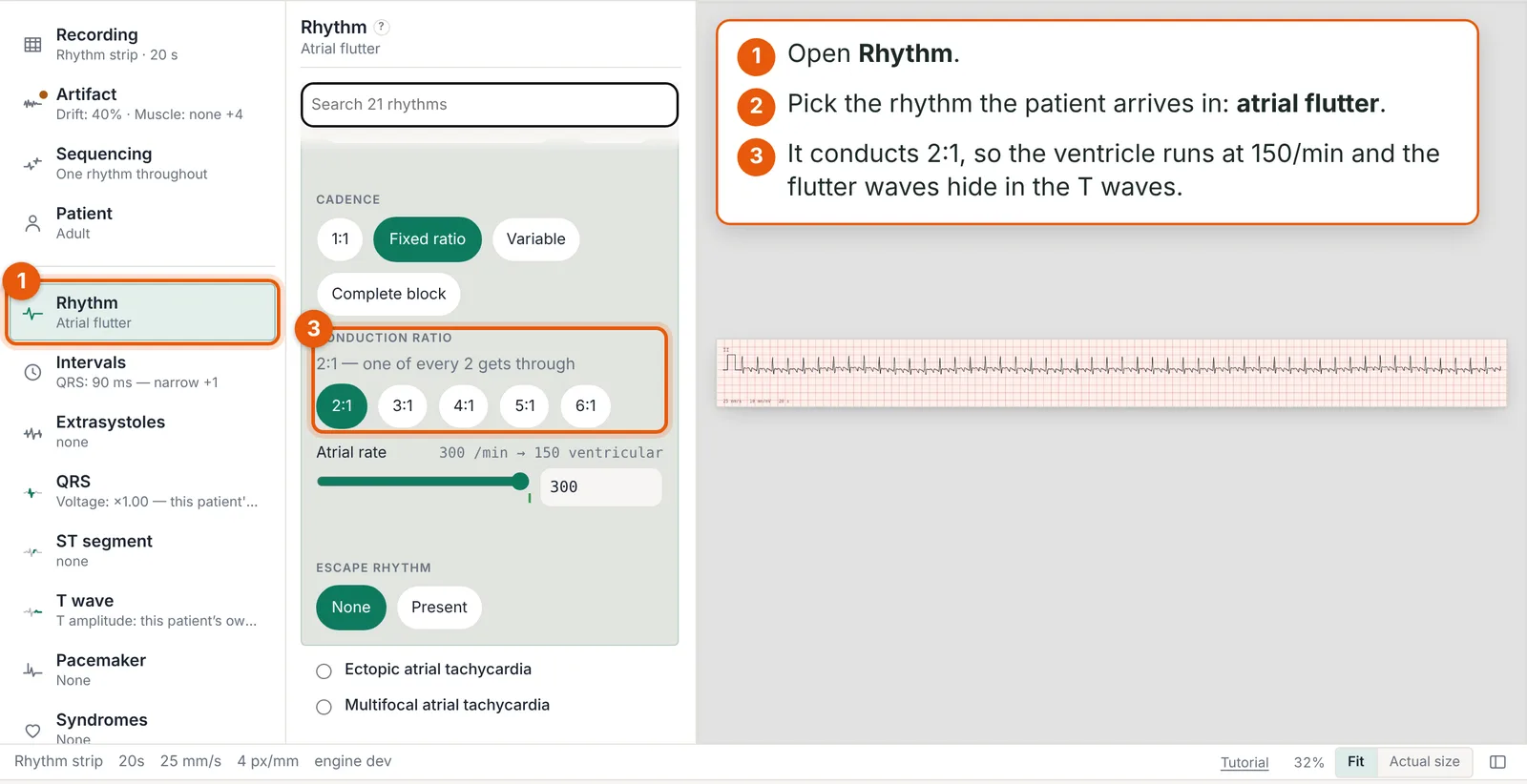
Set the recording to 20 seconds under Recording, so there's room for the story to unfold. Then open Rhythm and choose atrial flutter. Leave it at 2:1. The ventricle runs at 150 and the flutter waves are hard to pick out, which is just what we want at this point.
It's worth getting the starting rhythm right before you split anything. Every section you add begins as a copy of it.
2. Open Sequencing
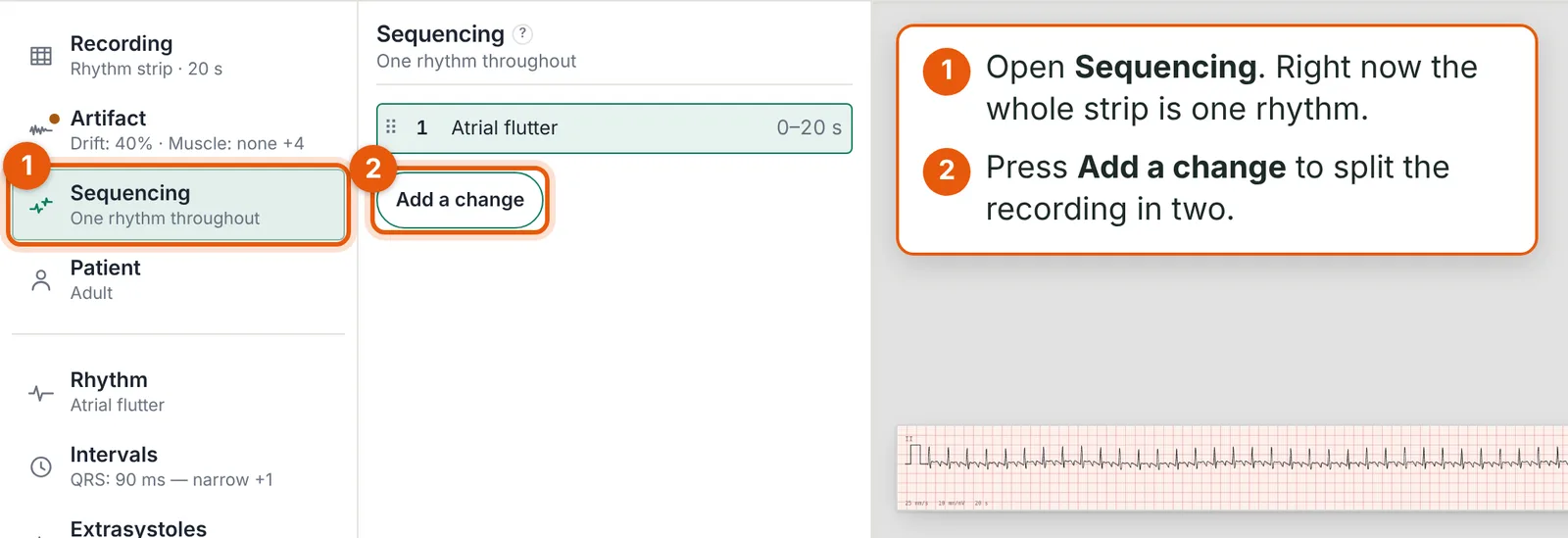
Open Sequencing in the rail. At the moment the whole strip is a single rhythm. Press Add a change to split it.
3. Split the strip into four
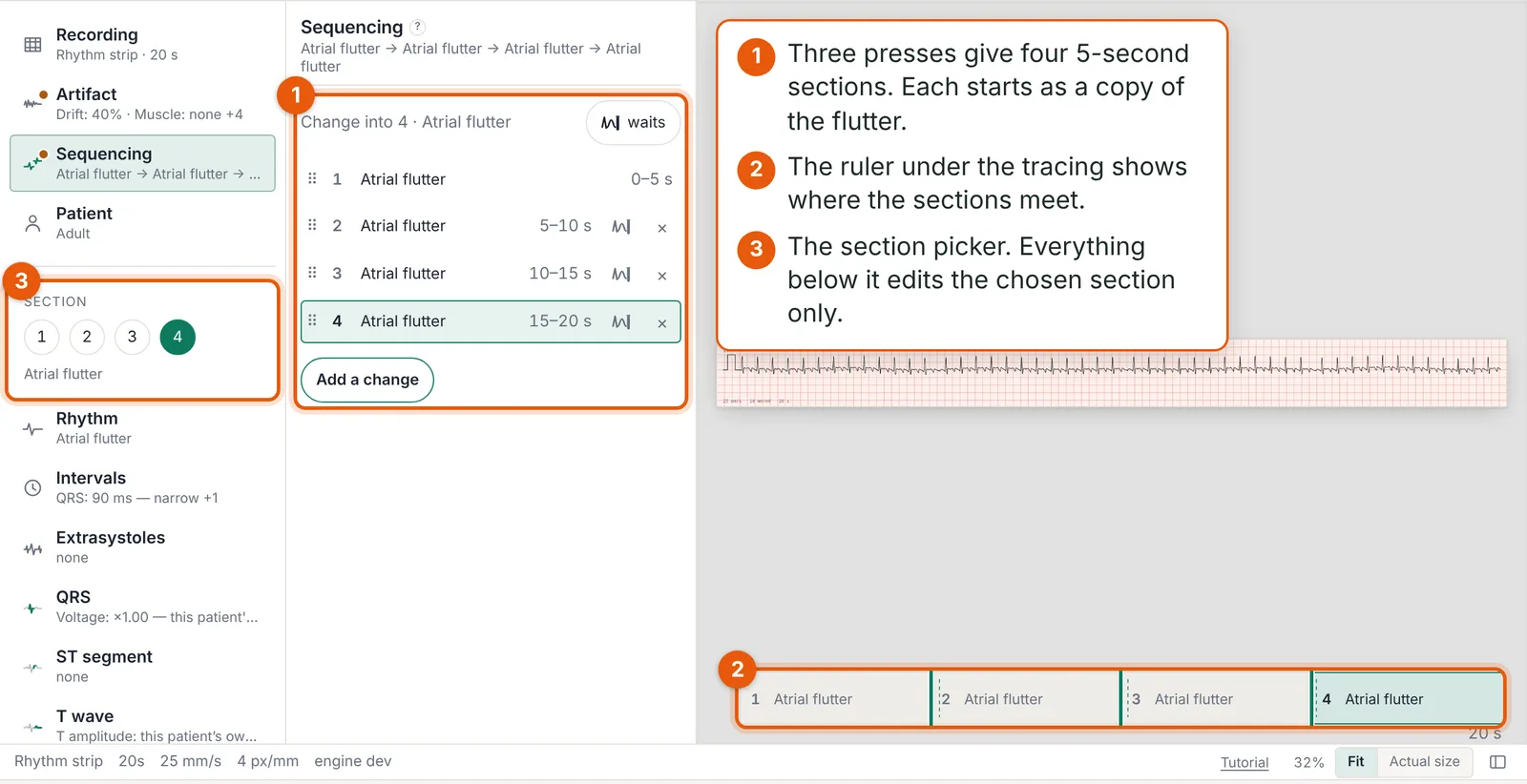
Each press splits the longest section in half, so three presses give you four sections of five seconds each. Nothing on the tracing moves yet, because all four are still the same flutter.
You'll notice three new things. There's a list of sections, a ruler under the tracing, and a small section picker in the rail. The picker is the one to remember: whatever you change below it applies only to the section you've chosen.
4. Give the adenosine somewhere to land
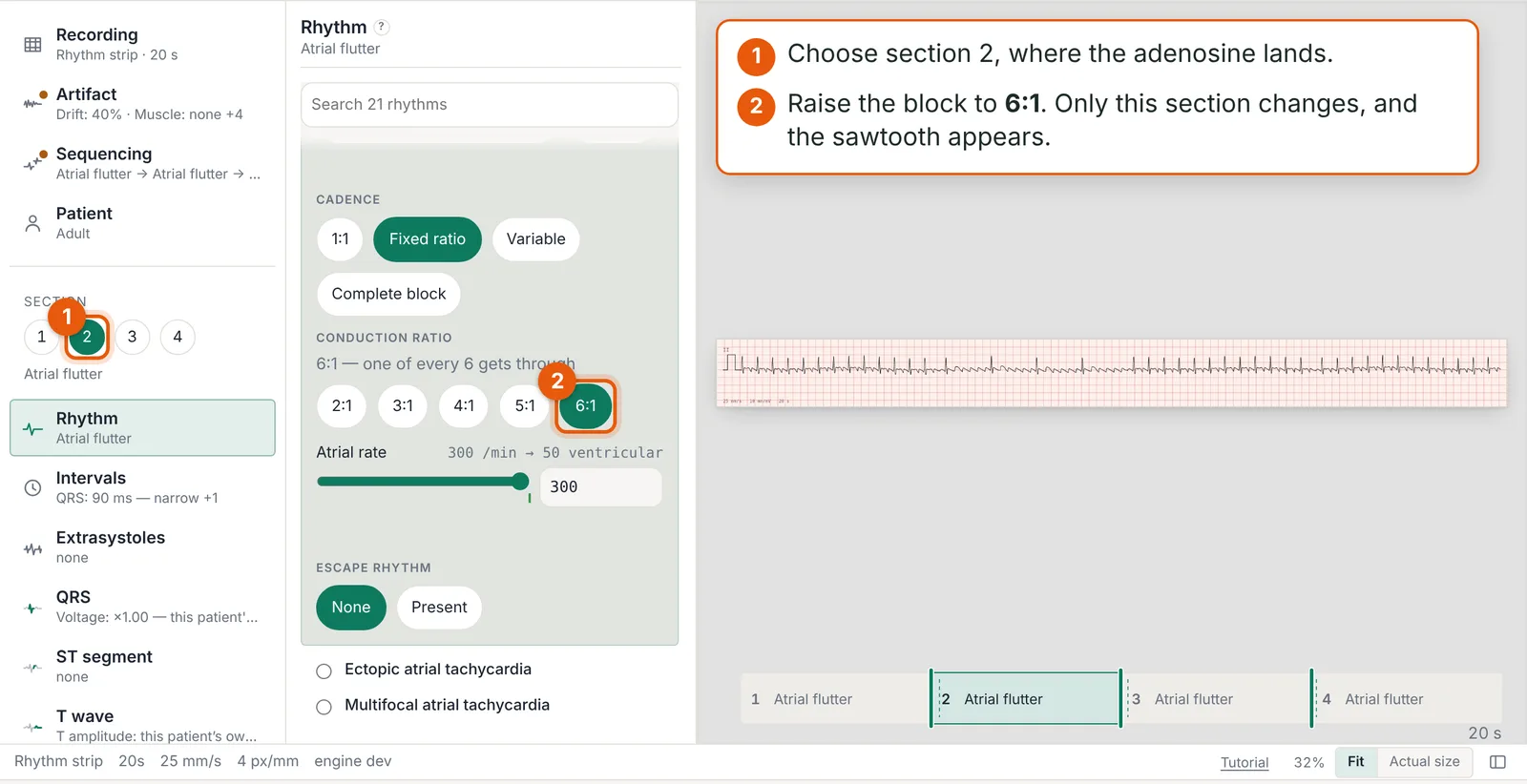
Pick section 2 in the section picker, open Rhythm and raise the conduction ratio to 6:1. Only those five seconds change. The QRS complexes thin out, and the flutter waves are suddenly obvious.
5. Let it wear off
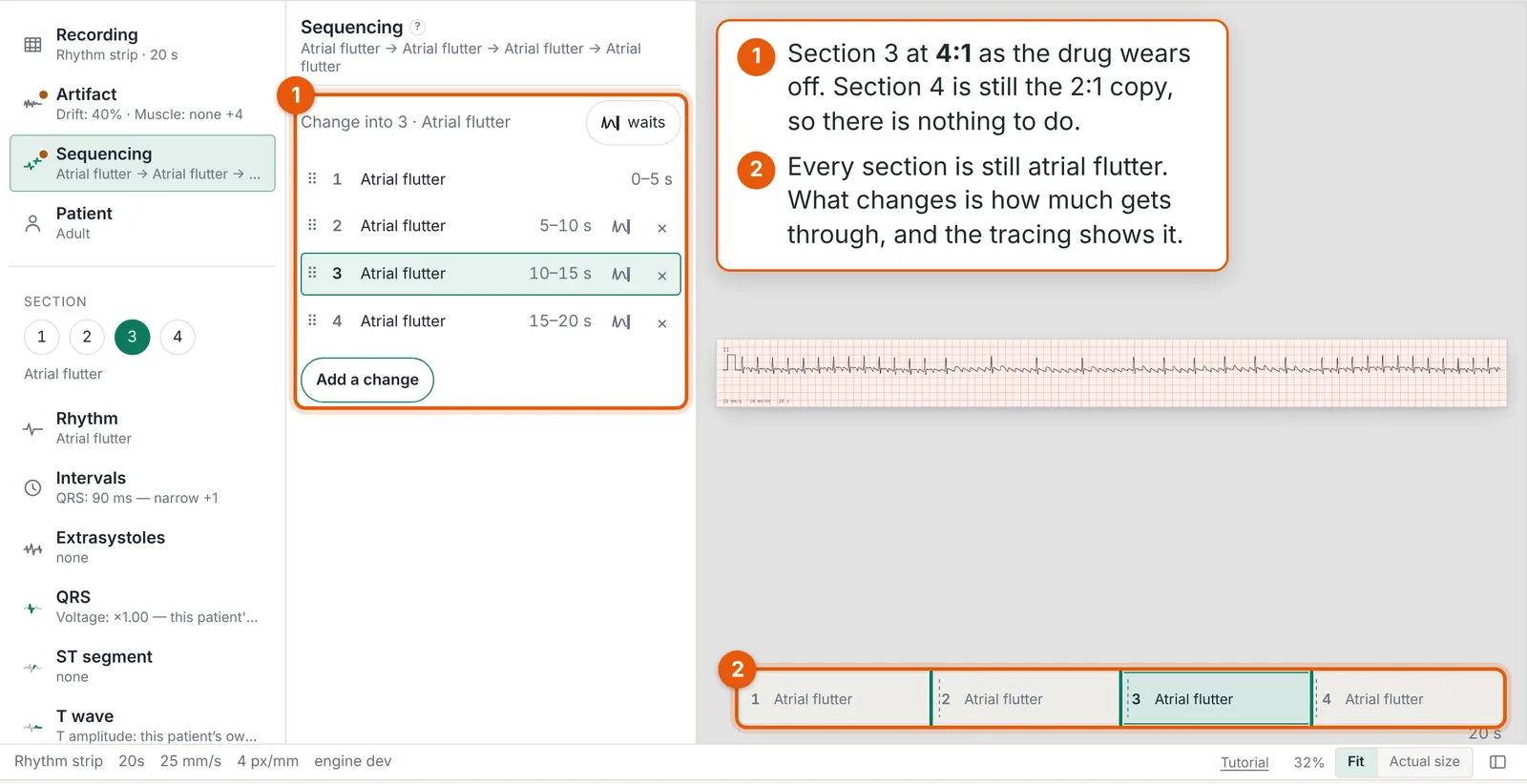
Adenosine is gone within seconds, so the block shouldn't snap straight back. Pick section 3 and set it to 4:1. Section 4 is still a copy of the original 2:1 flutter, so you don't need to touch it.
Every section is still atrial flutter. What changes is the conduction capabilities of the AV node, and that's the whole point of the ECG.
6. Choose how each change lands
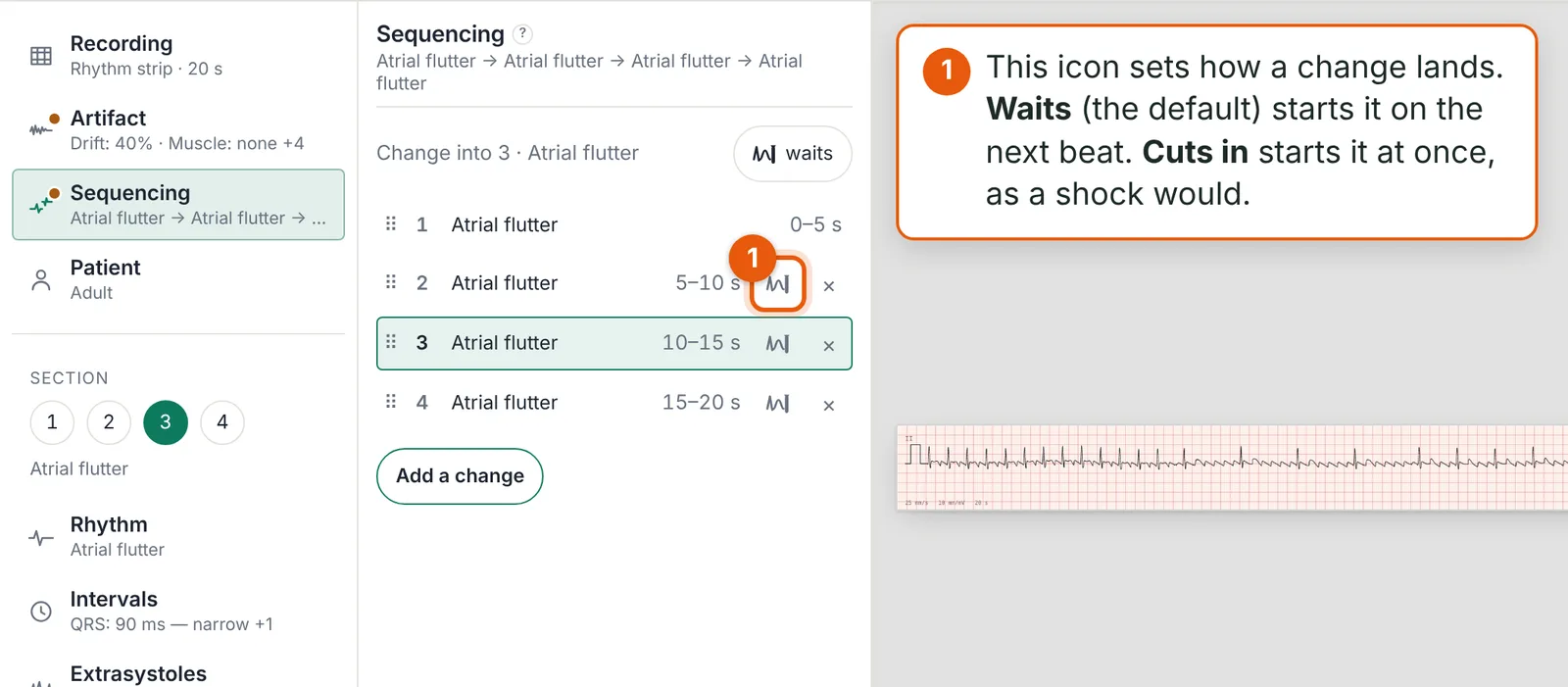
The small icon on each row decides how a change begins. By default it waits for the next beat, which is how a drug like adenosine behaves, so we'll leave it. Switch it to cuts in when something interrupts the rhythm mid-beat, like a shock or an R-on-T ectopic.
7. Share it or export it
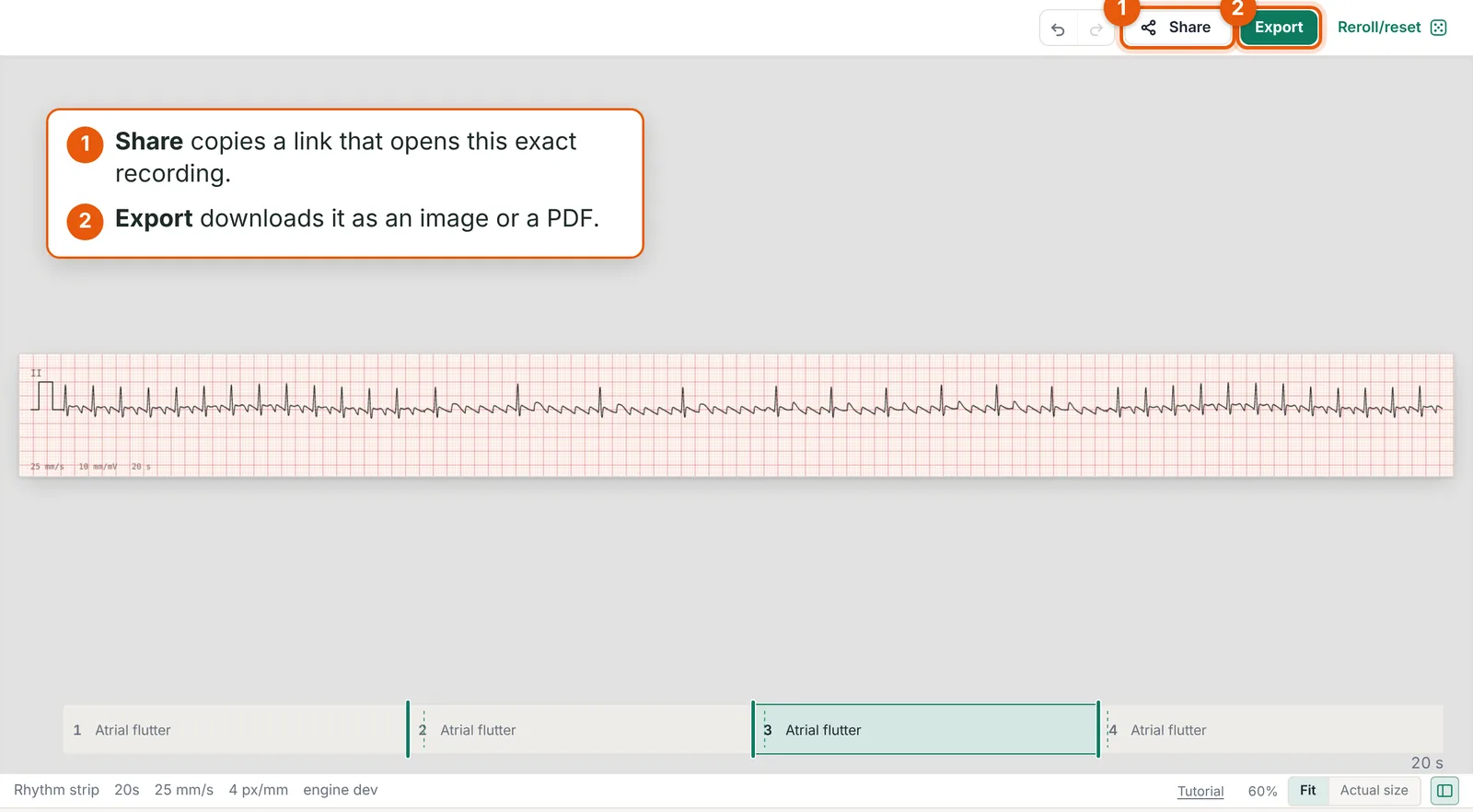
Press Hide panels to see the whole strip. Share copies a link that opens this exact recording, and Export saves it as an image or a PDF. The same settings always draw the same tracing, so the strip you teach from this year will look identical next year.
A few more you could build
- VF, a shock, and the rhythm that comes back
- AVNRT ending abruptly with adenosine, followed by a pause
- Mobitz I gradually progressing to complete heart block
- Atrial fibrillation converting to sinus rhythm after cardioversion
Open the studio, pick a starting rhythm and press Add a change.